Launch actions without breaking focus
Open apps, system controls, and daily shortcuts from a quiet menu bar surface instead of fishing through Finder or Spotlight again.
CommandFlow gives you a fast control surface for launch actions, clipboard snippets, quick notes, and drag-out file drops without turning your desktop into clutter.
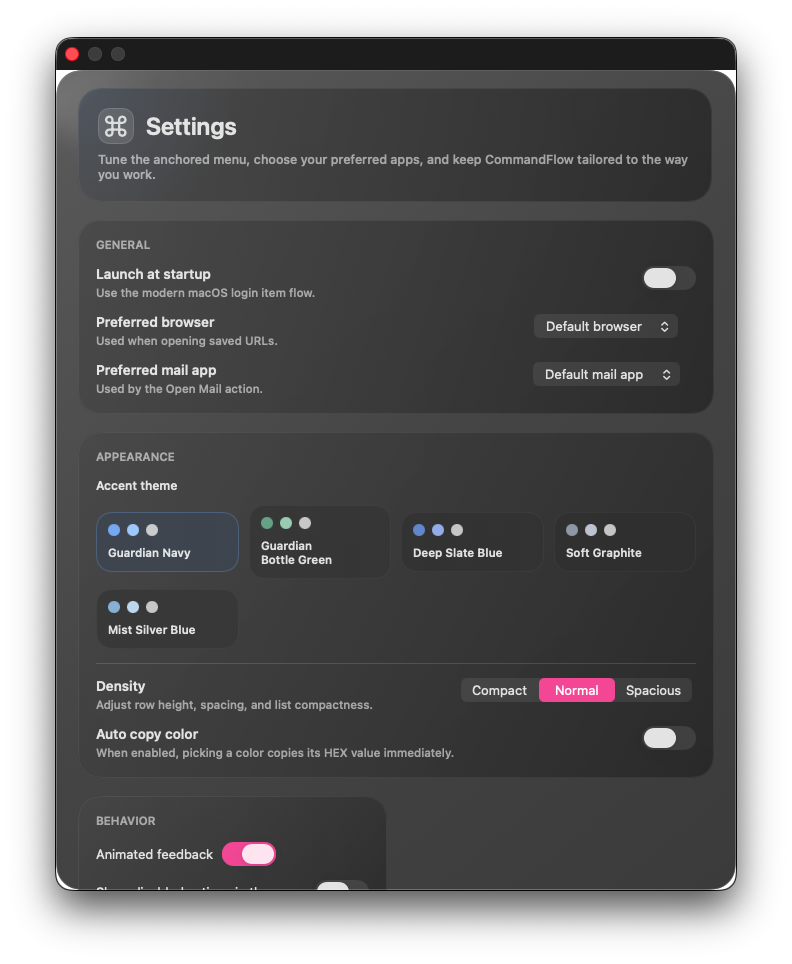
CommandFlow works best when the repetitive parts of your Mac day stop asking for extra windows, extra clicks, or extra thought.
Open apps, system controls, and daily shortcuts from a quiet menu bar surface instead of fishing through Finder or Spotlight again.
Save snippets, paste later, jot something down, and keep it local. Useful when the thought matters more than a full notes app.
Use a temporary shelf for files and folders, then drag them into Finder, Mail, chat, or browsers like a real macOS drag source.
The point is not raw feature count. The point is a utility that feels calm, immediate, and predictable under repeated use.
Native panels, real menu bar behavior, Quick Look support, and direct file dragging keep the app inside normal Mac muscle memory.
New builds are proposed inside CommandFlow. Download happens there. Replacement is still manual for now, which keeps the distribution flow honest.
Clipboard history, quick notes, and dropped files live on your Mac. No account system, no cloud dependency, no fake “AI workspace” layer.
macOS permissions can be stubborn. CommandFlow explains what it needs in-app, but some systems still require a manual approval step in Privacy & Security.
CommandFlow is a direct one-time Mac utility. Buy it once, download the app, keep moving.
Native macOS utility with quick actions, clipboard history, quick notes, drag-out shelf, and in-app update prompts.
The product is small on purpose. The important part is how clearly it installs, updates, and behaves under daily use.